In order to register orders, according to the access level of each customer, a different price will be shown to him, and the sale of goods should be done based on that. All customers must be approved by the shop manager to access their level prices. But before that, they need to register online. There are two ways to wholesale registration on the site. The first type is direct customer register on the site and the second type is registration of customer information by store employees.
-
Customer Registration
Register by Customer:
Anyone can complete the form and join the site through the register page or wholesale registration page. After registering through these pages, the customer’s access level is like a consumer user, and the normal prices will be shown to him and his access level needs to be confirm and upgrade by shop manager.
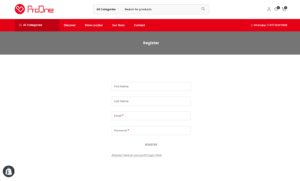
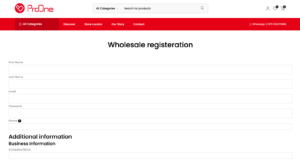
Register by Employees:
You may want to create an account for a customer who has come to the store in person or the store’s visitor has received their information in marketing. For this, just go to the wholesale register page and fill in the form information. Always try to complete the information in the additional information section as much as possible.
note: Use the customer’s mobile number for his initial password and send him the user account information to access the account.
-
How to upgrade the level of customer access to prices
Note that only authorized users are allowed to upgrade customers’ access to wholesale prices. Follow the steps below to upgrade the access level of users on the site:
- Go to the ProOne login page
- Enter your email address and password that’s associated to your admin account
- Go to the customers tab from the left sidebar
- On the opened page, you can see the list of customers sorted by the last register on the site.
- Click on customer name and go to customer information page
- Go to the tags section from the right menu and enter the customer code and click on save button
Note: Before upgrading the account, the customer must be a register on the site.
Note: Customer code for Wholesale price is : Wholesale-price